Apple Mac mini with M4 Chip
The Apple Mac mini with the M4 10-Core chip delivers up to 1.8x faster CPU and 2.2x faster GPU performance than the M1 model. It features 24GB unified RAM, a 512GB SSD, Wi-Fi 6E, and Thunderbolt 4 in a compact, carbon-neutral design. It also includes Apple Intelligence for enhanced productivity with privacy.
Pros & Cons
Pros
- •Massive performance uplift from the M4 10-core chip, handling intensive tasks with ease.
- •Compact and silent fanless design saves valuable desk space and operates quietly.
- •Future-proof specs with 24GB unified RAM and modern I/O (Thunderbolt 4, Wi-Fi 6E).
- •Includes Apple Intelligence for enhanced productivity features with on-device privacy.
- •Carbon-neutral design aligns with eco-conscious purchasing decisions.
Cons
- •Storage is not user-upgradable after purchase; the 512GB SSD may fill up quickly for some users.
- •Lacks built-in display, keyboard, and mouse, requiring additional purchases for a complete setup.
- •GPU, while powerful, may not match the highest-tier configurations of MacBook Pros for extreme pro workloads.
Overview
The Mac mini with M4 redefines the compact desktop category, positioning itself as the ultimate hub for a high-performance workspace. Its core value lies in the revolutionary M4 chip, which provides up to 1.8x faster CPU and 2.2x faster GPU performance than the M1 model, making it suitable for demanding creative and development workflows. The inclusion of Apple Intelligence enhances productivity with on-device AI features while maintaining user privacy. Combined with its carbon-neutral design, modern connectivity like Wi-Fi 6E and Thunderbolt 4, and a generous 24GB of unified memory, it offers a future-proof and responsible computing solution.
Who is this for?
This Mac mini is for creative professionals, developers, and power users who prioritize performance and a minimalist setup. It's perfect for a graphic designer running Adobe Creative Cloud, a programmer compiling code and running virtual machines, or a home user setting up a media server and family hub. Students in demanding technical fields will also find it a powerful and durable machine for their studies and projects.
Best Usage Scenarios
As a central creative workstation for photo editing, music production, and video editing in 4K.
Running development environments, simulators, and local servers for coding and app development.
Serving as a powerful home theater PC (HTPC) or media server for high-quality streaming.
Driving multiple displays for financial trading, data analysis, or research workstations.
Functioning as an efficient and reliable machine for everyday office tasks, video conferencing, and web browsing.
Frequently Asked Questions
Related Products
More deals in the same category
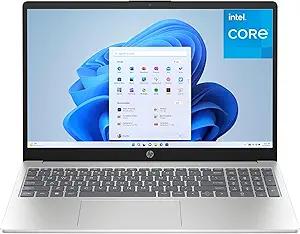
HP Pavilion 15.6" FHD Laptop Computer, 16GB DDR4 RAM, 240GB PCIe SSD, Intel N100 CPU, WiFi 6, Bluetooth, Webcam, Type-C, Lifetime Office 365, Windows 11, Type C RJ45, Light Gray